

What is Spell?
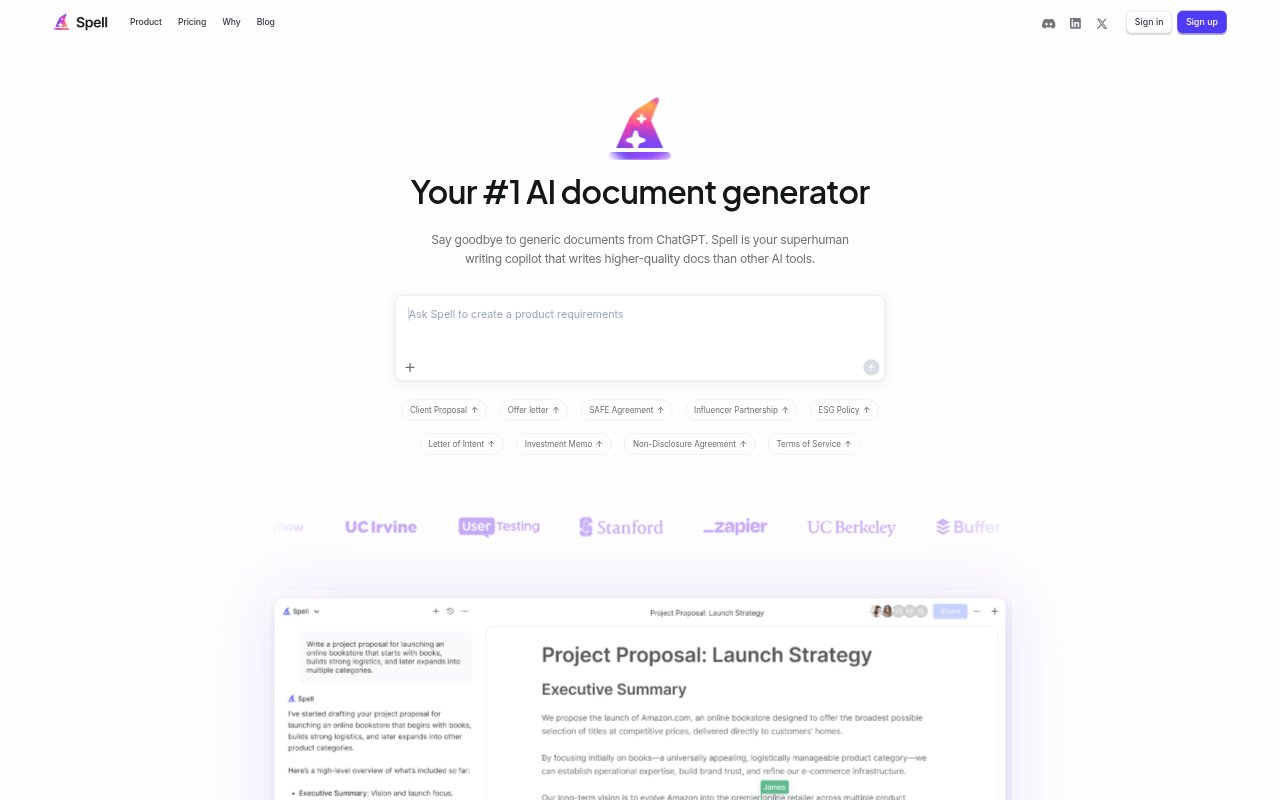
Spell is an AI-powered document editor for people who need to create and refine work, school, or personal documents. Users describe a document in natural language, get a first draft, then revise it with prompts or manual edits in the same editor. The platform supports collaboration and sharing, keeping drafting and refinement together rather than moving text between a chat tool and a word processor. A free plan is available, alongside paid plans with higher usage and team features.
Spell Features:
Prompted Drafts: Describe the document you need in natural language, and Spell generates a first draft directly in its document editor.
AI Revisions: Ask the editor to refine a document with natural language prompts, regenerate a section, or make changes yourself.
Guided Templates: Pro includes templates and guided document creation for starting common documents, including proposals, agreements, and business plans.
Shared Editing: Share documents and work with others in real time using the collaborative editor.
Document Formatting: Draft, edit, and polish documents in one editor, with formatting kept intact as you work.
Plan Options: The free plan includes 10 documents and 10,000 AI credits monthly; Pro adds unlimited documents, while Business adds unlimited AI usage, single sign-on, and organizations.
Private Documents: Documents are encrypted, are not used to train Spell's AI, and can be accessed only by people you choose to share them with.
Spell Benefits:
Faster Starts: A generated first draft gives you material to develop instead of requiring you to build every document from a blank page.
Fewer Transfers: Keeping drafting and editing together cuts out the copying, pasting, and formatting cleanup involved in moving AI text between separate tools.
More Control: Combining AI suggestions with manual editing lets you decide which changes to keep and how the final document reads.
Team Alignment: Real-time collaboration lets colleagues review and contribute to a shared document while it is being developed.
Data Stewardship: The stated privacy safeguards let users work on documents without having them used to train Spell's AI.
Use Cases:
Business Proposals: Create a first draft of a client proposal or business proposal template, then refine its wording in the editor.
Marketing Plans: Draft a campaign brief, social media calendar, or product launch email when planning and documenting marketing work.
People Operations: Prepare job descriptions, onboarding checklists, performance reviews, or employee communications for workplace use.
Research Writing: Start a research proposal, literature review outline, lab report, or paper abstract and revise it as the work develops.
Internal Updates: Turn project details into a kickoff summary, meeting agenda, board memo, or update for project sponsors.