

What is Mopup?
Mopup is a cleanup and maintenance app for Macs, with tools for developers dealing with build output, old projects, coding-agent leftovers and processes that keep running after work is done. It identifies what is taking up space or using resources, explains what each item is, and lets you decide what to remove or stop. Its cleanup rules leave source code, Git history and documents alone, and scans and cleaning run on your Mac.
Mopup Features:
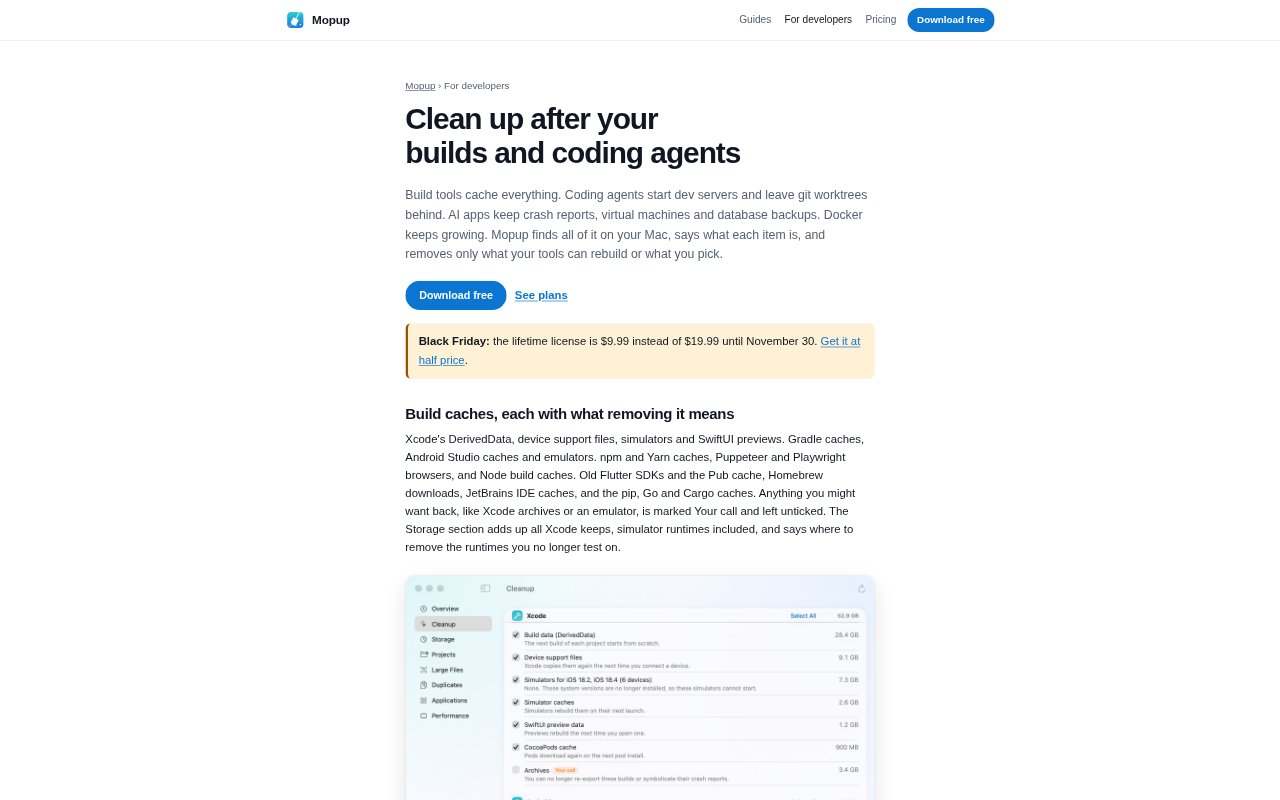
Build Cache Cleanup: Mopup finds caches from tools including Xcode, Gradle, npm, Yarn, Flutter, Homebrew, JetBrains IDEs, pip, Go and Cargo, and explains what deleting each item means.
Project Folders: It searches code folders for generated files such as node_modules, .next, Pods, target and .venv, and counts shared bun and pnpm files only once.
Merged Worktrees: It finds worktrees with merged branches or merged GitHub pull requests, and removes them with git worktree remove only when they contain no uncommitted work.
AI App Leftovers: Mopup identifies items including Codex crash reports, Claude's Cowork virtual machine and Cursor's old database backup, while leaving Cursor's chat database in place.
Dev Server Controls: It groups a dev server's processes into one row with its command, folder, ports, runtime and idle time, and can stop the server and the processes it started.
Docker Cleanup: Mopup checks Docker's build cache, stopped containers, unused images and volumes, then has Docker perform the pruning; only the build cache is selected by default.
Mopup Benefits:
Reclaim Disk Space: Clearing rebuildable caches and generated project files can make room on a Mac without requiring developers to remove source code or documents.
See What You Gain: Item explanations and size estimates make it easier to judge a cleanup, while shared project files are not counted twice.
Protect Active Work: Uncommitted changes prevent worktree removal, and items that may be wanted again are left for the user to choose.
Reduce Process Clutter: Seeing a server and its related processes together makes it easier to identify what is running and stop it as a group.
Avoid Manual Hunting: One scan brings together build caches, project output, app leftovers and Docker data that would otherwise need to be checked separately.
Use Cases:
Before a Mac Update: Find large developer caches and generated folders when an update is waiting and the Mac needs more free space.
After Agent Sessions: Review merged coding-agent worktrees and app leftovers after finishing experiments with tools such as Codex, Claude or Cursor.
Between Projects: Check older code folders for dependencies and build output that can be rebuilt when returning to a project.
After Local Testing: Stop dev servers and related processes that remain active after testing a site, app or other development project.
Docker Disk Cleanup: Inspect Docker build cache, stopped containers, unused images and volumes when Docker data has grown on a development Mac.